A Coordinated Electric System Interconnection Review—the utility’s deep-dive on technical and cost impacts of your project.
Challenge: Frequent false tripping using conventional electromechanical relays
Solution: SEL-487E integration with multi-terminal differential protection and dynamic inrush restraint
Result: 90% reduction in false trips, saving over $250,000 in downtime
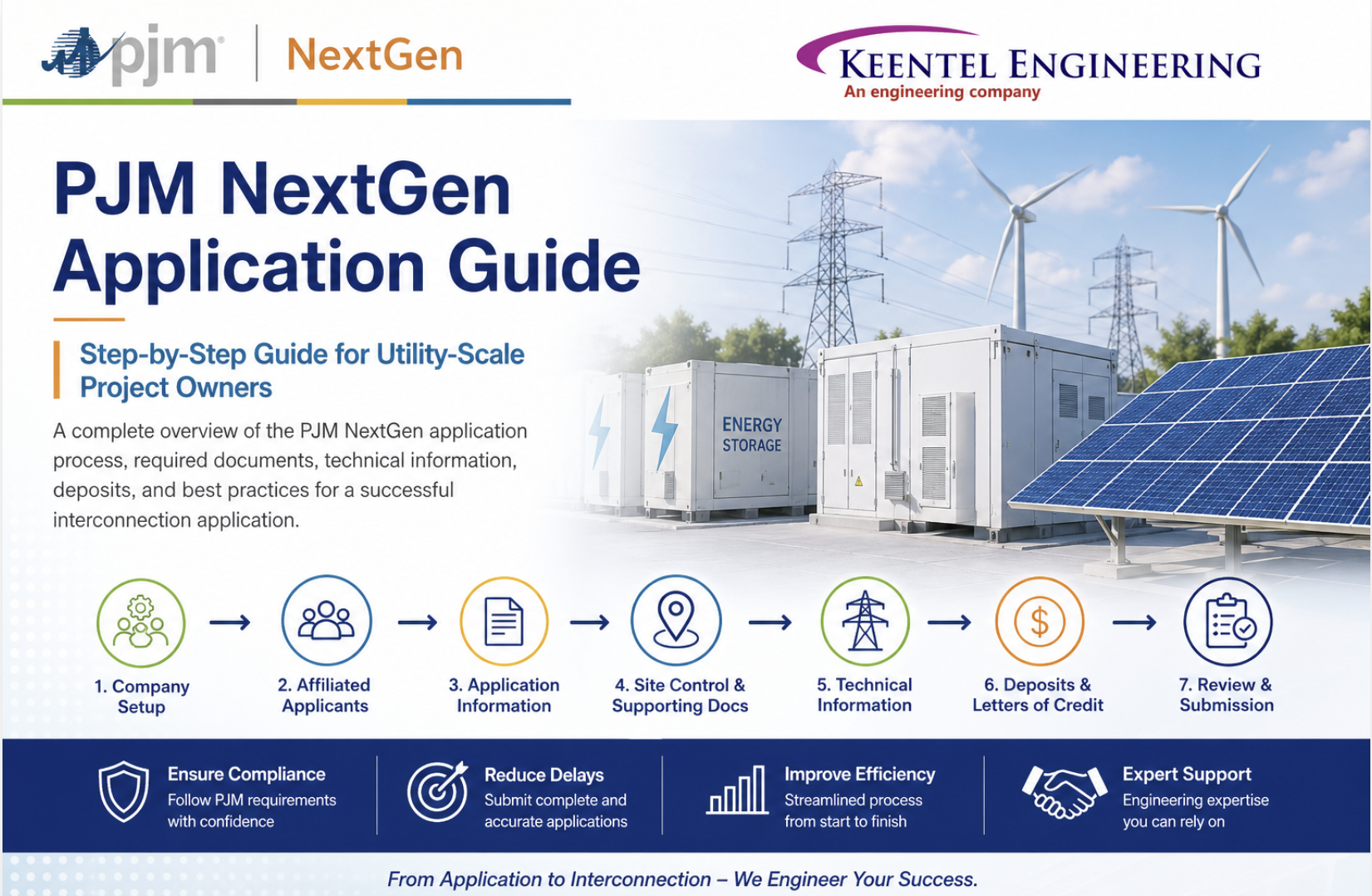
Step-by-Step Guide for Utility-Scale Project Owners Preparing a PJM NextGen Application
Apr 25, 2026 | Blog
PJM’s NextGen platform is the primary application tool used by project developers and eligible customers to submit and manage New Service Requests in the PJM interconnection process. It is designed to support generation interconnection, merchant transmission, and long-term firm transmission applications. PJM uses the information submitted in NextGen to evaluate interconnection requests, perform required studies, and determine what system upgrades may be necessary to maintain grid reliability.
For utility-scale project owners, NextGen is more than an online form. It is the formal record that connects the project entity, site control, technical design, deposit security, electrical modeling data, and final agreement pathway. A well-prepared application can reduce deficiency comments, avoid delays, and help the project enter the study process correctly.
1. Understand the Purpose of NextGen
NextGen is PJM’s planning and application portal for New Service Requests. It allows project owners and developers to:
- Submit new interconnection applications.
- Manage project portfolios.
- Upload supporting documents.
- Track Letters of Credit.
- Respond to PJM comments.
- Manage ownership changes.
- Complete Decision Point elections.
PJM states that NextGen is intended as a “one-stop shop” for stakeholders and PJM planners involved in the generation interconnection process.
For a utility-scale project owner, this means the application should be treated as a formal technical, legal, and commercial submission.
Step-by-Step PJM NextGen Application Process
Step 1: Confirm PJM Account Manager Access
Before a project owner can access NextGen, the company must have access through PJM Account Manager.
A company must be registered either as a PJM Member or Non-Member company. PJM notes that users logged in under an “Other” company will not see NextGen roles.
Required NextGen access roles include:
| Role | Function |
|---|---|
| NextGen Read Only | View project information only |
| NextGen Read/Write | View, edit, and submit applications |
| NextGen Agent | View and edit project data but cannot submit new applications |
For project submission, the responsible project owner or authorized representative generally needs NextGen Read/Write access.
Step 2: Complete the Company Profile
The Company Profile must be completed before a New Service Request can be saved or submitted.
PJM states that each company has one shared Company Profile, and updates by one user are reflected for all users associated with that company.
The Company Profile includes:
- Company Information
- Parent or Holding Company Information
- Affiliated Applicants
This section is very important because the legal entity structure entered here affects who appears as the Project Developer or Eligible Customer in the application.
Step 3: Set Up Project-Specific LLCs as Affiliated Applicants
Many utility-scale projects are developed through project-specific LLCs. PJM’s guide explains that affiliated applicants are often “underlying LLCs” owned or operated by the main company and may be selected as the Project Developer or Eligible Customer in a New Service Request.
This is critical because PJM also states that the company selected in the application should be the entity that will be listed on the final agreement.
Required documents for Affiliated Applicants
For each affiliated applicant, the project owner should prepare:
| Document | Purpose |
|---|---|
| W-9 | Confirms tax/legal identity of entity |
| Evidence of Binding Relationship | Shows relationship between main company and affiliated project entity |
| Evidence of Ownership | Required if parent/holding company information applies |
The project-specific legal entity should be added before the application is submitted.
Step 4: Select the Correct Application Type
NextGen supports three primary application types:
- Generation Interconnection Application
- Merchant Transmission Facility Application
- Long-Term Firm Application
For utility-scale solar, wind, battery energy storage, hybrid, and other generation projects, the typical application type is usually Generation Interconnection Application. PJM directs users to Manual 14H for additional details regarding application types.
Application PJM directs users to Manual 14H for additional details regarding application types.
Step 5: Enter Applicant Information
In the Applicant Information section, the project owner must select the correct Project Developer or Eligible Customer from the dropdown. If the project is owned by a project-specific LLC, that LLC should normally be selected if it will execute the final PJM agreement.
The Applicant Information section also includes:
- Project name
- Company/entity selection
- Contact information
- Authorized signatory information
The authorized signatory information must be accurate because PJM requires the agreement to be signed by the authorized signatory, not merely an agent. The system verifies that the logged-in user’s email matches the authorized signatory email for electronic signature.
Step 6: Define the Point of Interconnection
For a Generation Interconnection Application, NextGen requires the applicant to identify the proposed
Point of Interconnection or POI.
Typical POI options include:
| POI Type | Required Information |
|---|---|
| Direct connection to substation | Substation name, location, voltage |
| Line tap | Transmission line information and remote-end substations |
| Other connection type | Clear explanation and detailed description |
Step 7: Prepare Site Control and Supporting Documents
The Site Control & Supporting Documents section is one of the most important parts of the application. PJM’s guide explains that each file selector provides descriptions of required documentation, and some descriptions include links for clarification.
For utility-scale projects, the owner should prepare:
| Document / Drawing | Purpose |
|---|---|
| Site control agreement, lease, option, or deed | Demonstrates control over project land |
| Site plan | Shows project location, boundaries, and major facilities |
| POI exhibit | Identifies interconnection point |
| Project layout | Shows generating facility or storage facility arrangement |
| Transmission/interconnection route | Required if project includes gen-tie or line tap |
| Owner certification | Confirms authorized project ownership/control |
| Landowner attestation | Supports site control representation |
| Supporting exhibits | Clarify project footprint and facilities |
For multiple files, PJM notes that only one file may be uploaded for each section in some cases, so multiple documents should be combined into a ZIP file where needed.
Step 8: Enter Generating Facility Information
The Generating Facility Information section requires the applicant to identify the nature of the generating project and complete project-specific data fields.
Depending on the technology, this may include:
- Solar PV
- Wind
- Battery energy storage
- Hybrid solar + storage
- Thermal generation
- Other generation technologies
For battery energy storage and inverter-based resources, the owner should ensure that the information is consistent with inverter data, transformer data, project capability, and future
dynamic modeling
requirements.
Step 9: Complete Project Capability Information
The Project Capability section requires capability data across relevant operating conditions. For utility-
scale generation and storage projects, this typically includes:
- Maximum facility output
- Seasonal capability
- Net output at POI
- Charging capability for storage
- Energy capacity for storage projects
- Fuel or resource type
- Load definition if applicable
For battery energy storage projects, applicants should clearly distinguish between:
| Parameter | Example |
|---|---|
| MW rating | 100 MW |
| MWh rating | 200 MWh or 400 MWh |
| Duration | 2-hour or 4-hour |
| Charging capability | MW import capability |
| Discharging capability | MW export capability |
Step 10: Enter Generator / Inverter Information
PJM’s guide states that Generator Information should be entered in accordance with the PJM Dynamic Model Development Guidelines.
For inverter-based resources the project owner should prepare:
- Inverter manufacturer
- Inverter model
- Number of units
- MW rating per inverter
- Voltage rating
- Power factor capability
- Reactive power capability
- Control modes
- Ride-through capability
- Preliminary dynamic model information
For BESS and solar projects, this section should align with the preliminary electrical design package and equipment datasheets.
Step 11: Enter Transformer Information
NextGen requires transformer information for applicable projects. The guide notes that transformer information should be provided in accordance with PJM Dynamic Model Development Guidelines.
Typical transformer data includes:
| Data Field | Description |
|---|---|
| Transformer type | Main transformer / step-up transformer |
| Quantity | Number of identical units |
| MVA rating | Transformer capacity |
| Voltage levels | LV/MV/HV winding voltage |
| Impedance | Percent impedance |
| Vector group | Winding configuration |
| Tap range | LTC or DETC data |
| Grounding | Neutral grounding method |
For utility-scale applications, transformer data should match the single-line diagram, preliminary design, and manufacturer datasheets where available.
Step 12: Provide Attachment Line Data if Applicable
If the project interconnects through a line tap or includes a dedicated attachment line, NextGen requires line-related data.
This may include:
- Voltage level
- Line length
- Conductor type
- Impedance
- Line ownership
- Remote-end substations
- Route description
For projects with a gen-tie line, the applicant should prepare a preliminary route map and electrical line data.
Step 13: Provide Collector System Equivalent Data if Applicable
NextGen includes a Collector System Equivalent section. If the project has collector system equivalent data, the applicant should enter the required information.
For large solar, wind, and battery projects, the collector system equivalent may include:
- Equivalent resistance
- Equivalent reactance
- Equivalent susceptance
- Collector voltage level
- Number of feeders
- Aggregated inverter/generator representation
- Main transformer interface
This data becomes important for future power flow and dynamic modeling.
Step 14: Complete Deposits Section
NextGen requires banking and deposit information for Readiness Deposits and Study Deposits. The guide explains that the applicant must enter banking information and select the Readiness Deposit method.
Deposit methods may include:
- Wire transfer
- Letter of Credit
If Letters of Credit are used, they must be uploaded and managed through the Letters of Credit section of NextGen. PJM reviews uploaded Letters of Credit and may mark them as Not Started, In Progress, Changes Required, Draft Approved, Signed Approved, Approval Pending, Return Pending, or Returned.
Step 15: Review, Validate, Sign, and Submit
Before submission, every section must be saved and validated. PJM’s guide states that all in-progress pages must be saved and validated before the application can be submitted.
On the Review page, the applicant may:
- Sign electronically through NextGen.
- Download the agreement for external signature.
- Upload the signed agreement.
- Submit the application.
The application is not complete until it is formally submitted.
Recommended Drawing and Document Package for Utility-Scale Projects
Although some items are entered into forms rather than uploaded as separate drawings, project owners should generally prepare the following package before starting the NextGen application.
A. Administrative Documents
| Item | Description |
|---|---|
| Company W-9 | For main company |
| Project LLC W-9 | For affiliated applicant |
| Evidence of binding relationship | Main company to project LLC |
| Parent/holding company evidence | If applicable |
| Authorized signatory confirmation | Must match signer email |
| Contact list | Project, legal, technical, financial contacts |
B. Legal / Site Control Documents
| Item | Description |
|---|---|
| Deed, lease, option, or site control agreement | Project site control |
| Landowner attestation | Supporting landowner documentation |
| Owner certification | PJM-required certification |
| Shared facilities agreement | If applicable |
| Assignment documents | If ownership transfer applies |
C. Technical Drawings
| Drawing | Purpose |
|---|---|
| Project location map | Shows geographic project location |
| Site plan | Shows project boundary and major equipment |
| POI exhibit | Shows exact interconnection location |
| Preliminary single-line diagram | Shows electrical configuration |
| Collector system layout | Shows feeders and equipment arrangement |
| Substation layout | Shows transformer, breaker, bus, protection areas |
| Gen-tie route map | Required if project includes line connection |
| Equipment layout | Solar arrays, wind turbines, BESS blocks, PCS/inverters |
| Data | Purpose |
|---|---|
| MW rating | Project output |
| MWh rating | Storage energy capacity, if applicable |
| POI voltage | Interconnection voltage |
| Transformer data | Required for modeling |
| Inverter/generator data | Required for electrical and dynamic models |
| Collector equivalent | Required for system representation |
| Reactive capability | Required for grid performance |
| Power factor capability |
E. Financial / Deposit Documents
| Item | Description |
|---|---|
| Readiness Deposit information | Required security |
| Study Deposit information | Required study funding |
| Wire confirmation | If using wire transfer |
| Draft Letter of Credit | If using LOC |
| Signed Letter of Credit | If using LOC |
| LOC amendments | If applicable |
Common Mistakes That Delay NextGen Applications
1. Wrong Legal Entity Selected
The project entity selected in the application should match the entity expected to execute the final agreement. Selecting the parent company when the project LLC should be the contracting entity can create delays.
2. Affiliated Applicant Not Set Up
If a project-specific LLC is not added as an Affiliated Applicant, it may not appear in the application dropdown.
3. Incomplete Company Profile
The Company Profile must be completed before a New Service Request can be completed.
4. Poor Site Plan Quality
Site plans should clearly show project boundary, POI, equipment layout, and interconnection facilities.
5. Missing Site Control Coverage
Site control should cover not only the generation or storage facility, but also interconnection facilities and line routes where applicable.
6. Inconsistent Technical Data
MW, MWh, transformer rating, inverter count, POI voltage, and single-line diagram must align.
7. Authorized Signatory Email Mismatch
For electronic signature, the logged-in user email must match the authorized signatory email.
8. Sections Saved as Draft but Not Validated
Saving a draft is not the same as validating. Each section must be saved and validated before final submission.
Role of an Electrical Engineering Consultant in NextGen Applications
A qualified electrical engineering consultant can help project owners prepare a complete and consistent application package.
Typical support includes:
- Preliminary single-line diagram
- BESS, solar, wind, or hybrid electrical layout
- POI evaluation
- Transformer data review
- Inverter/generator data review
- Collector system equivalent preparation
- PJM application technical support
- Dynamic model coordination
- PSSE modeling
- PSCAD/EMT model coordination
- NERC and IEEE 2800 technical compliance support
- Review of technical consistency before submission
For utility-scale projects, engineering support is especially valuable because the information submitted in NextGen becomes the basis for future interconnection studies.
25 Detailed FAQs for Utility-Scale PJM NextGen Applications
1. What is PJM NextGen?
PJM NextGen is PJM’s online platform for submitting and managing New Service Requests, including generation interconnection applications, merchant transmission applications, and long-term firm transmission applications.
2. Who needs access to NextGen?
Any project owner, developer, eligible customer, or authorized representative preparing a PJM application needs appropriate access through PJM Account Manager.
3. What access role is needed to submit an application?
The NextGen Read/Write role is generally needed to create, edit, and submit applications.
4. Can a consultant submit the application?
A consultant may assist with technical data and application preparation, but the authorized project representative must have the proper authority. If signing electronically, the signer’s email must match the authorized signatory email in NextGen.
5. What is the Company Profile?
The Company Profile establishes the company, parent company if applicable, and affiliated applicants. PJM uses this information during the application process.
6. What is an Affiliated Applicant?
An Affiliated Applicant is typically a project-specific LLC or related company that may be selected as the Project Developer or Eligible Customer in the application.
7. Should the project LLC be added as an Affiliated Applicant?
Yes, if the project LLC will be the entity listed on the final PJM agreement, it should generally be added as an Affiliated Applicant.
8. Which entity should be selected as Project Developer?
The entity selected should be the one expected to be listed on the final agreement. PJM specifically notes that the selected company should be the Project Developer or Eligible Customer listed on the final agreement.
9. What documents are needed for an Affiliated Applicant?
Typically, a W-9 and evidence of binding relationship are required.
10. What if the parent company owns the project company?
If a parent or holding company applies, evidence of ownership should be uploaded in the Company Profile.
11. What application type should a utility-scale battery project use?
A standalone BESS project typically uses the Generation Interconnection Application, unless the project structure requires a different PJM-defined application path.
12. What is the Point of Interconnection section?
This section identifies where and how the project will connect to the PJM transmission system, including substation connection, line tap, or other connection type.
13. What should be included in the site plan?
A site plan should show the project boundary, major equipment, access areas, POI, substation area, interconnection facilities, and line route if applicable.
14. Is a single-line diagram required?
The guide does not describe it as a universal upload item in every section, but it is strongly recommended because it supports the technical data entered in the application.
15. What technical data is needed for a BESS project?
A BESS project generally needs MW rating, MWh rating, inverter information, transformer information, POI voltage, charging/discharging capability, and collector equivalent data if applicable.
16. What technical data is needed for a solar project?
A solar project generally needs MW rating, inverter data, transformer data, collector system information, POI data, site layout, and project capability information.
17. What technical data is needed for a wind project?
A wind project generally needs turbine data, collector system data, transformer data, POI information, project capability, and dynamic model information.
18. What is Collector System Equivalent data?
It is an equivalent electrical representation of the project collector system used for power flow and dynamic studies.
19. What is Attachment Line Data?
Attachment Line Data applies when the project includes a line connection or line tap. It may include voltage, line length, route, and electrical characteristics.
20. What are Readiness and Study Deposits?
These are financial requirements entered in the Deposits section of the application. The applicant must provide banking or security information.
21. Can a Letter of Credit be used?
Yes. PJM’s guide states that Letters of Credit may be used to meet Readiness Deposit requirements and can be uploaded and managed through NextGen.
22. What happens if PJM finds problems with the application?
The project status may become Incomplete, and the applicant must correct the issues, provide comments, and resubmit.
23. What does “Save Draft” mean?
Save Draft saves progress but does not validate the form.
24. What does “Save & Validate Form” mean?
It checks the form for errors. All errors must be corrected before the application can be submitted.
25. When is the application considered submitted?
The application is submitted only after all required sections are complete, saved, validated, signed, and formally submitted through the Review page.
Final Practical Checklist for Project Owners
Before submitting a PJM NextGen application, project owners should confirm:
- PJM Account Manager access is active
- NextGen Read/Write role is approved
- Company Profile is complete
- Project LLC is added as Affiliated Applicant
- W-9 documents are uploaded
- Binding relationship documents are uploaded
- Correct application type is selected
- Correct legal entity is selected as applicant/developer
- POI information is complete
- Site control documents are uploaded
- Site plan and layout are clear
- Technical data matches engineering drawings
- Transformer and inverter data are consistent
- Deposits or Letter of Credit information is complete
- All sections are saved and validated
- Authorized signatory email matches the signer
- Application is formally submitted before the deadline

About the Author:
Sandip "Sonny" R. Patel, P.E.
IEEE Senior Member · Founder & CEO, Keentel Engineering
In 1995, Sonny Patel earned his Electrical Engineering degree from the University of Illinois. But degrees don't build legacies — action does.
For three decades, he has worked the power industry from every side of the table: 16 years as a utility engineer at Exelon/Commonwealth Edison; generation leadership across hydroelectric, industrial steam turbine, and a 9 GW renewable fleet; NERC Regional Entity Senior Compliance Engineer and Audit Team Lead, auditing some of the nation's largest utilities; and testing and commissioning lead on equipment up to 765 kV — the very top of the North American grid.Utility. Generator. Regulator. Consultant. Few engineers have seen all four seats. Fewer still have sat in them.
His experience spans nuclear, hydro, conventional generation, renewables, oil and gas, mining — and today's data centers, where he is authoring a three-book series on data center design. He is a Licensed Professional Engineer in six states and a Licensed Electrical Contractor in Florida (Unlimited EC) — he doesn't just design the work; he's qualified to stand behind its execution.Today, as Founder and CEO of Keentel Engineering, Sonny leads a nationwide team of engineers delivering substation design, power system studies, NERC compliance, and commissioning — done right, coast to coast.Three decades. Every side of the table. One standard: accountable engineering.
Services

Let's Discuss Your Project
Let's book a call to discuss your electrical engineering project that we can help you with.
About the Author:
Sandip "Sonny" R. Patel, P.E.
IEEE Senior Member · Founder & CEO, Keentel Engineering
In 1995, Sonny Patel earned his Electrical Engineering degree from the University of Illinois. But degrees don't build legacies — action does.
For three decades, he has worked the power industry from every side of the table: 16 years as a utility engineer at Exelon/Commonwealth Edison; generation leadership across hydroelectric, industrial steam turbine, and a 9 GW renewable fleet; NERC Regional Entity Senior Compliance Engineer and Audit Team Lead, auditing some of the nation's largest utilities; and testing and commissioning lead on equipment up to 765 kV — the very top of the North American grid.
Utility. Generator. Regulator. Consultant. Few engineers have seen all four seats. Fewer still have sat in them.
His experience spans nuclear, hydro, conventional generation, renewables, oil and gas, mining — and today's data centers, where he is authoring a three-book series on data center design. He is a Licensed Professional Engineer in six states and a Licensed Electrical Contractor in Florida (Unlimited EC) — he doesn't just design the work; he's qualified to stand behind its execution.
Today, as Founder and CEO of Keentel Engineering, Sonny leads a nationwide team of engineers delivering substation design, power system studies, NERC compliance, and commissioning — done right, coast to coast.Three decades. Every side of the table. One standard: accountable engineering.
Leave a Comment
Thank you for contacting us.
We will get back to you as soon as possible.
We will get back to you as soon as possible.
Oops, there was an error sending your message.
Please try again later.
Please try again later.
Related Posts
By SANDIP R PATEL
•
October 23, 2026
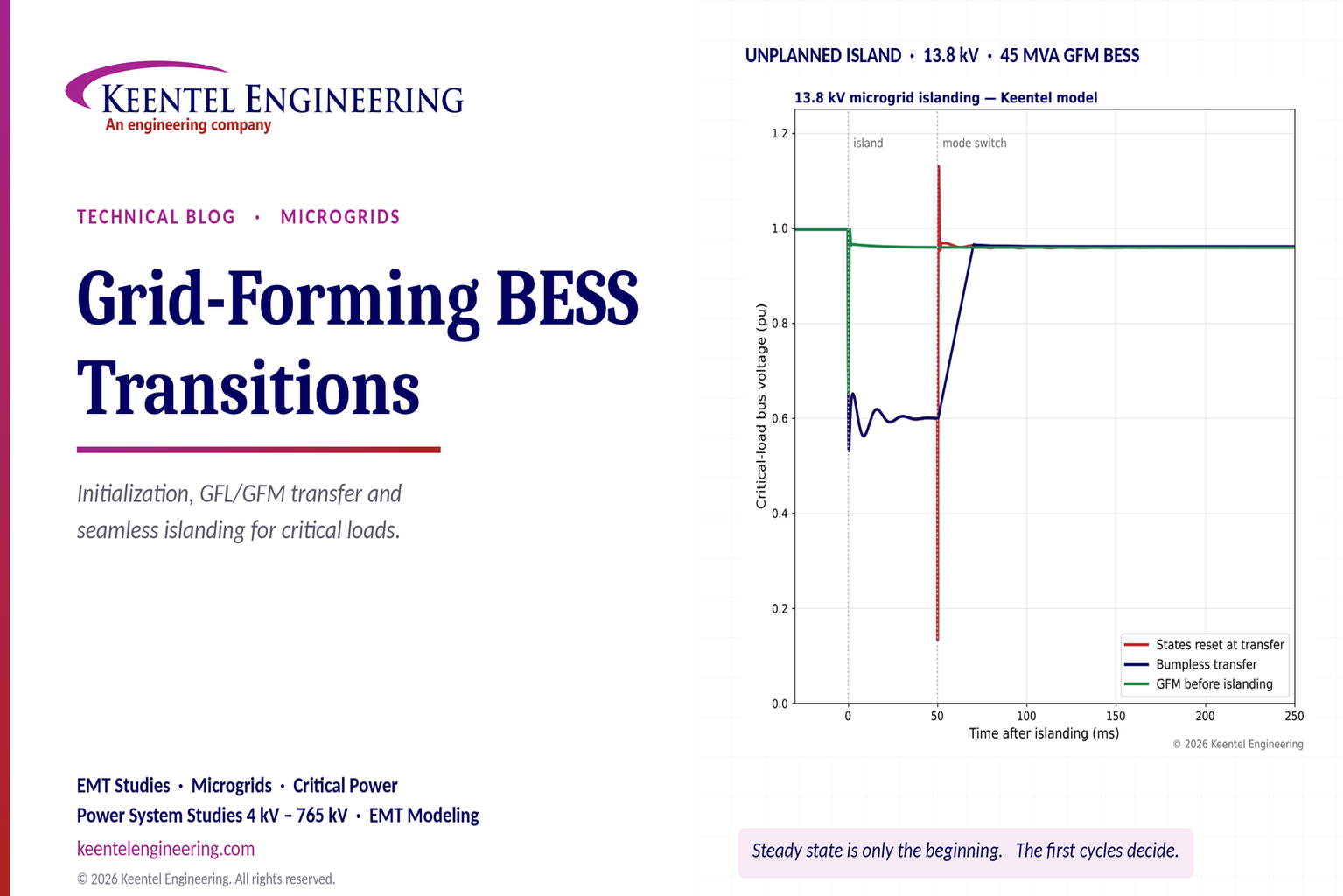
Explore grid-forming BESS initialization, GFL-to-GFM transitions, seamless islanding, EMT simulations, current limiting and microgrid protection.
By SANDIP R PATEL
•
October 23, 2026
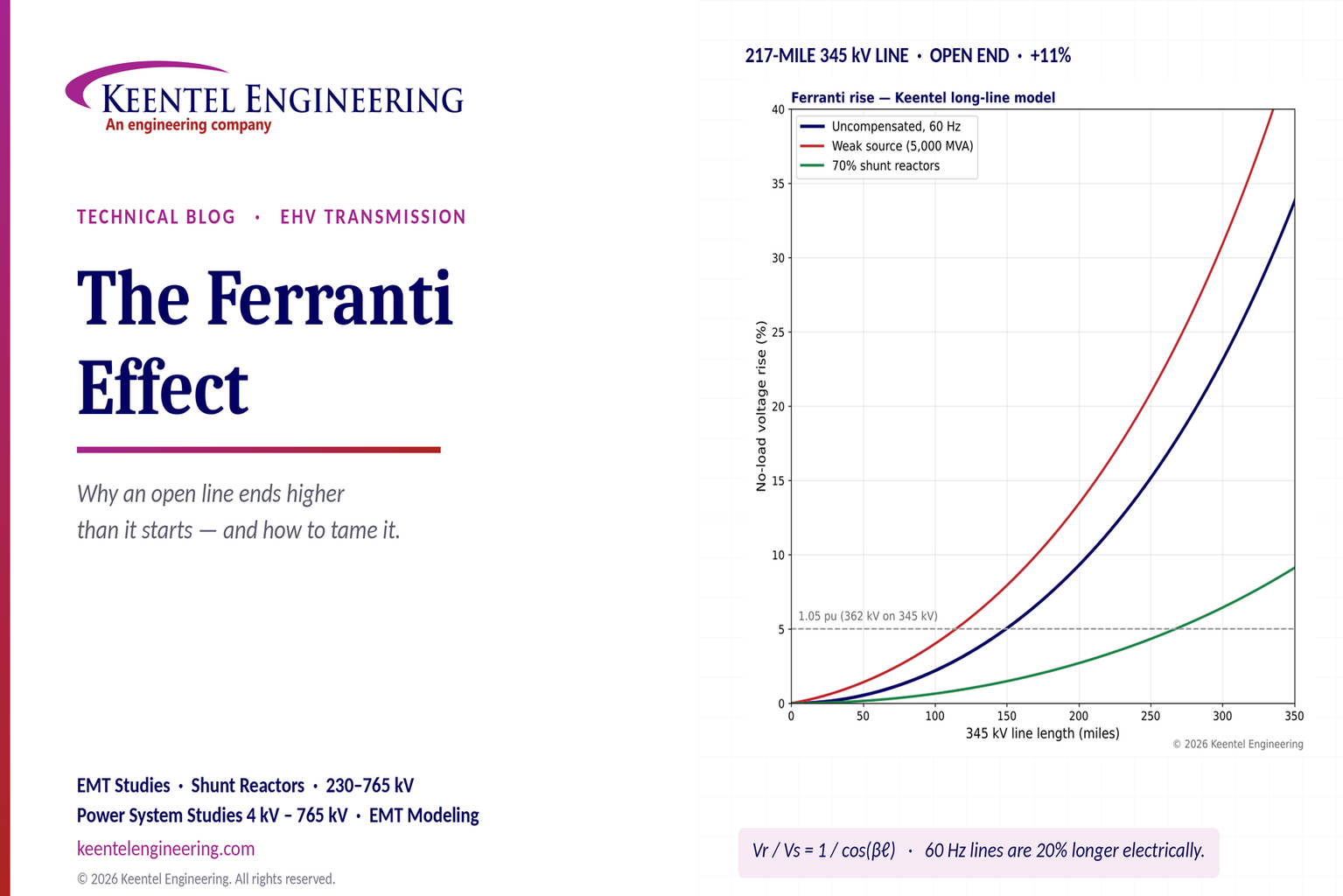
Explore the Ferranti effect in EHV transmission lines: voltage rise, 345 kV examples, switching overvoltages, shunt reactor sizing and mitigation.
By SANDIP R PATEL
•
October 23, 2026
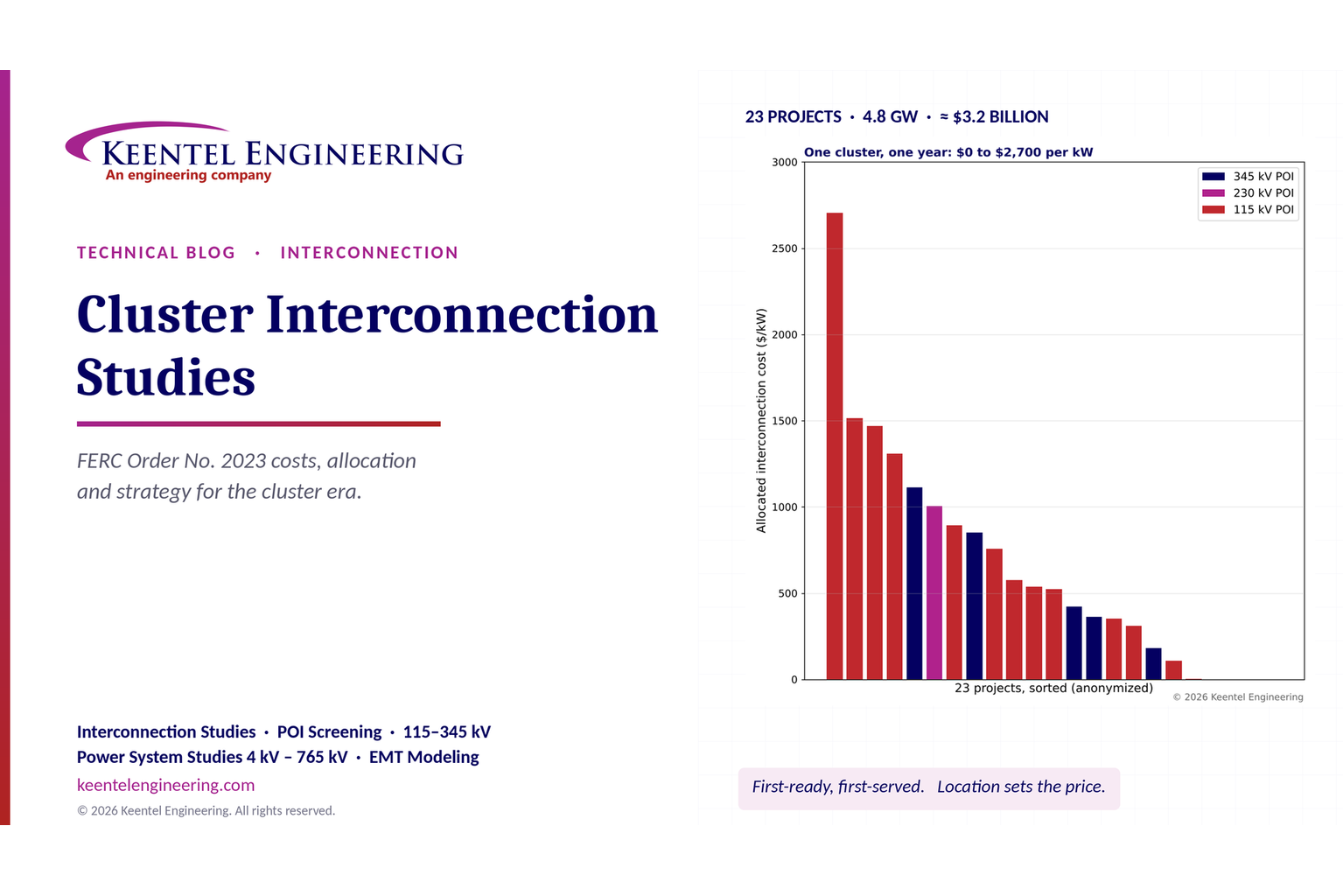
Explore cluster interconnection studies under FERC Order 2023, including network upgrades, cost allocation, withdrawal penalties and developer strategy.
By SANDIP R PATEL
•
October 21, 2026
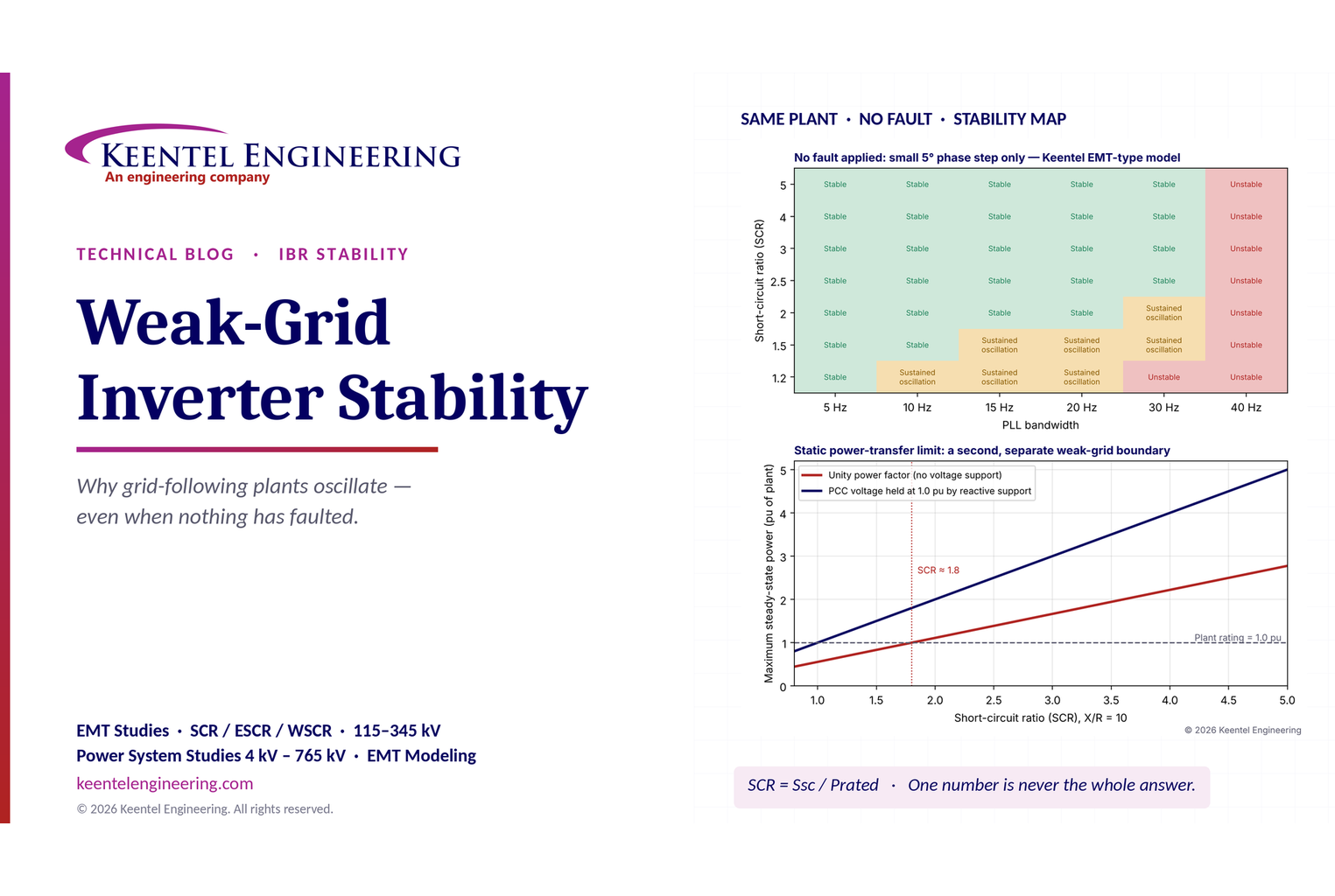
Learn why grid-following inverters become unstable without grid faults. Explore SCR, PLL interactions, EMT studies, grid strength, and mitigation.
By SANDIP R PATEL
•
October 21, 2026
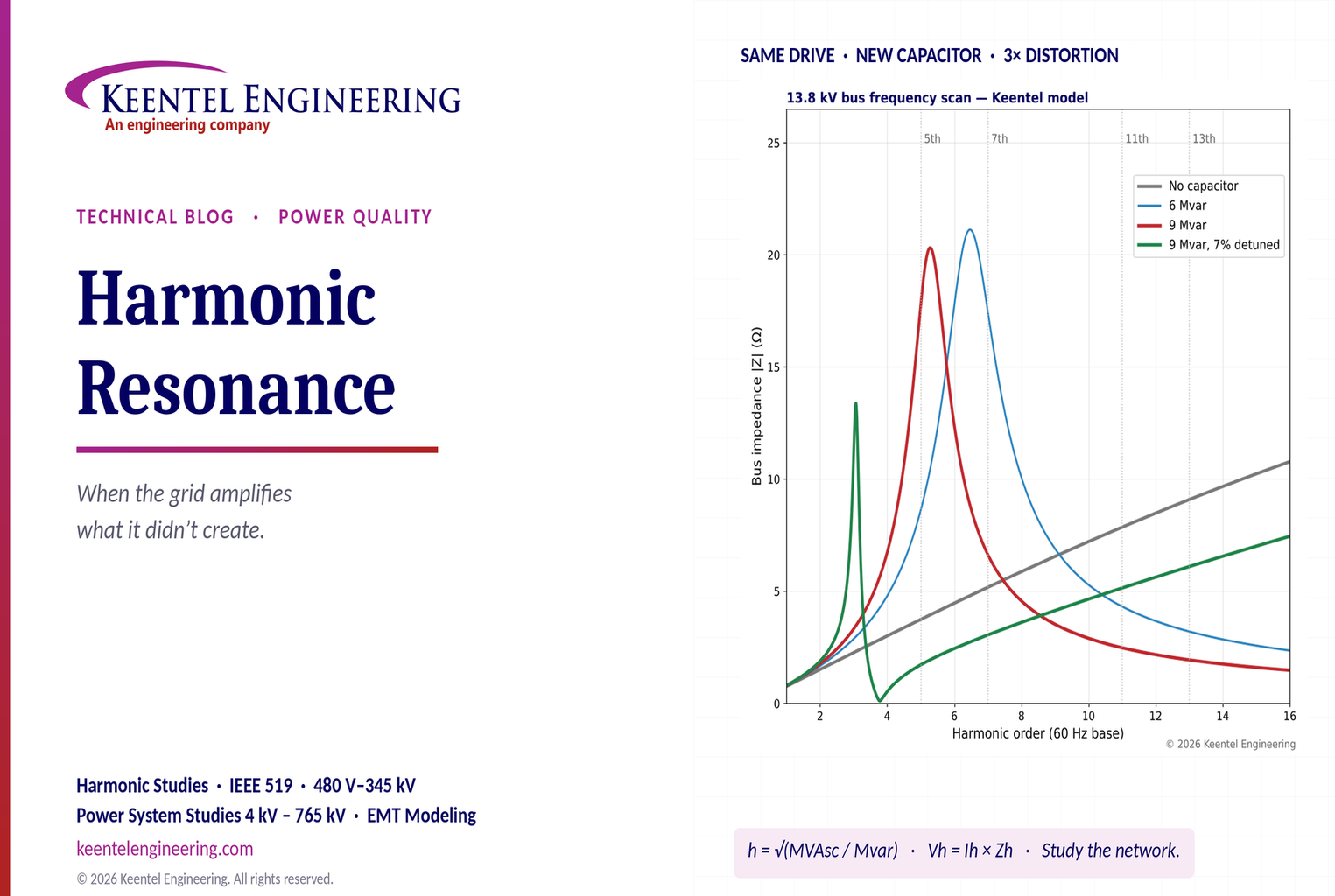
Learn how harmonic resonance amplifies distortion in power systems. Explore capacitor banks, detuned reactors, frequency scans, and IEEE 519 solutions.
By SANDIP R PATEL
•
October 20, 2026
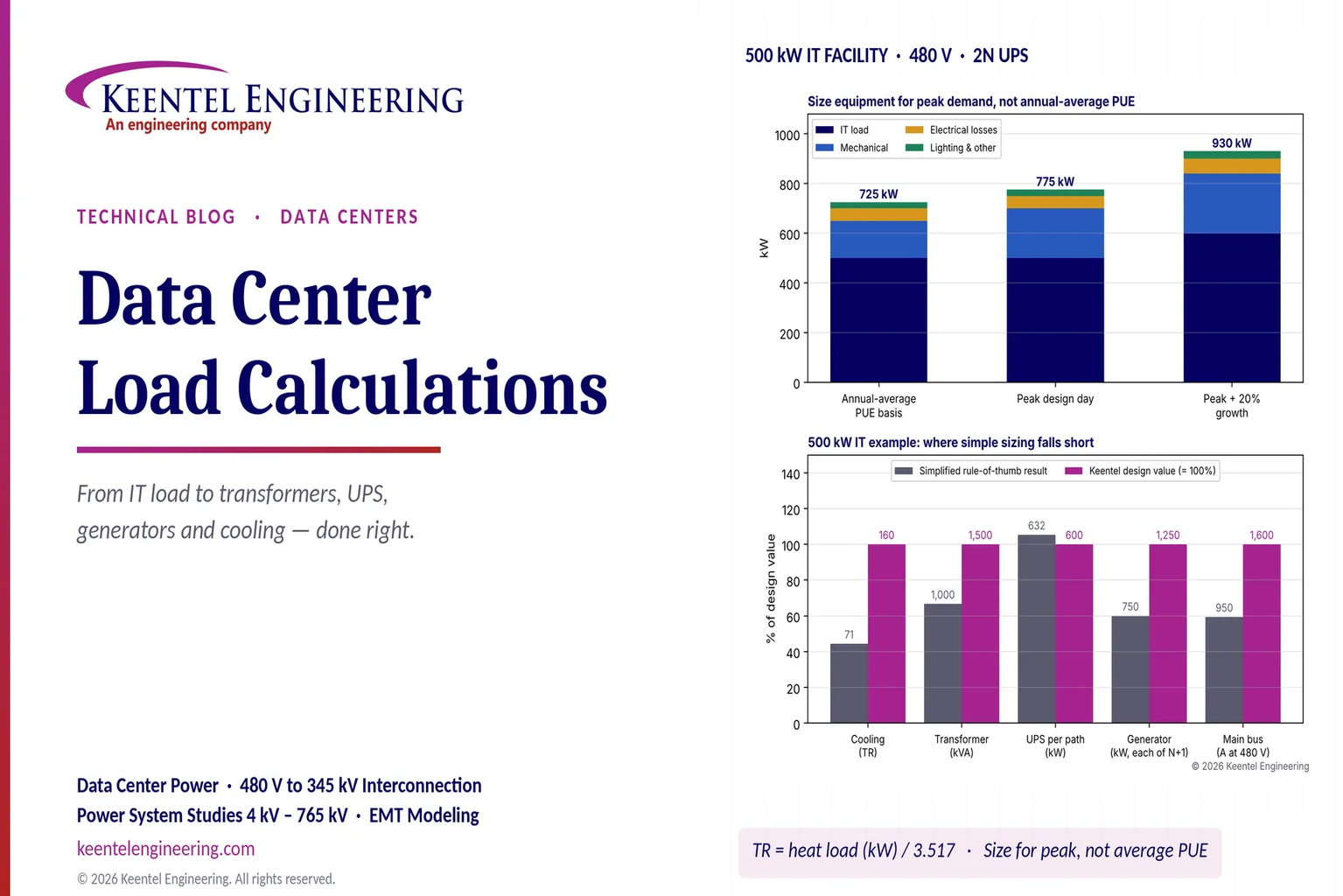
Learn data center electrical load calculations, including IT demand, PUE, UPS and generator sizing, cooling loads, redundancy, and worked US examples.
By SANDIP R PATEL
•
October 20, 2026
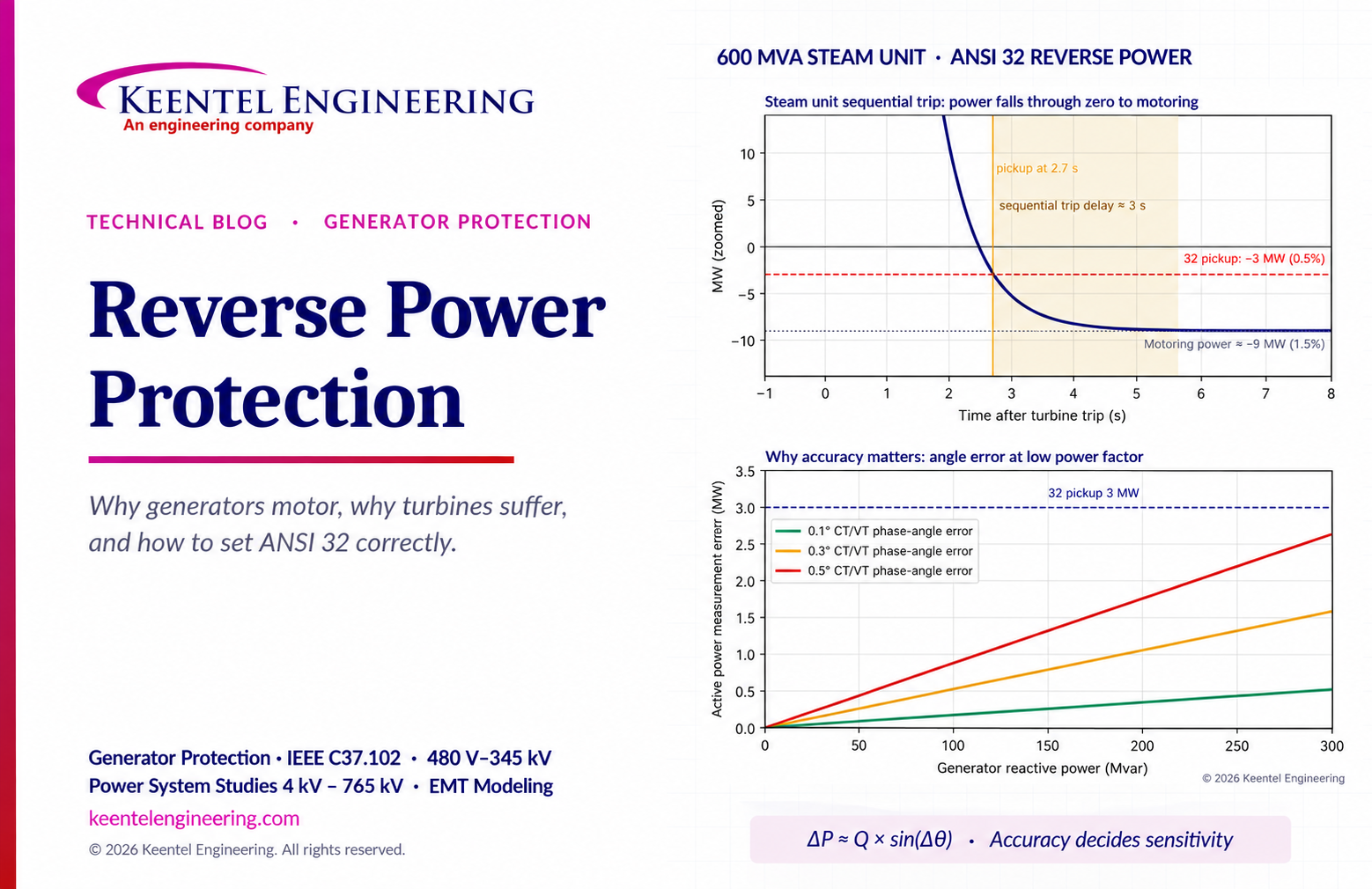
Learn reverse power protection (ANSI 32), generator motoring, relay pickup settings, time delays, sequential tripping and testing for US power plants.
By Team 2 Dexora
•
October 20, 2026
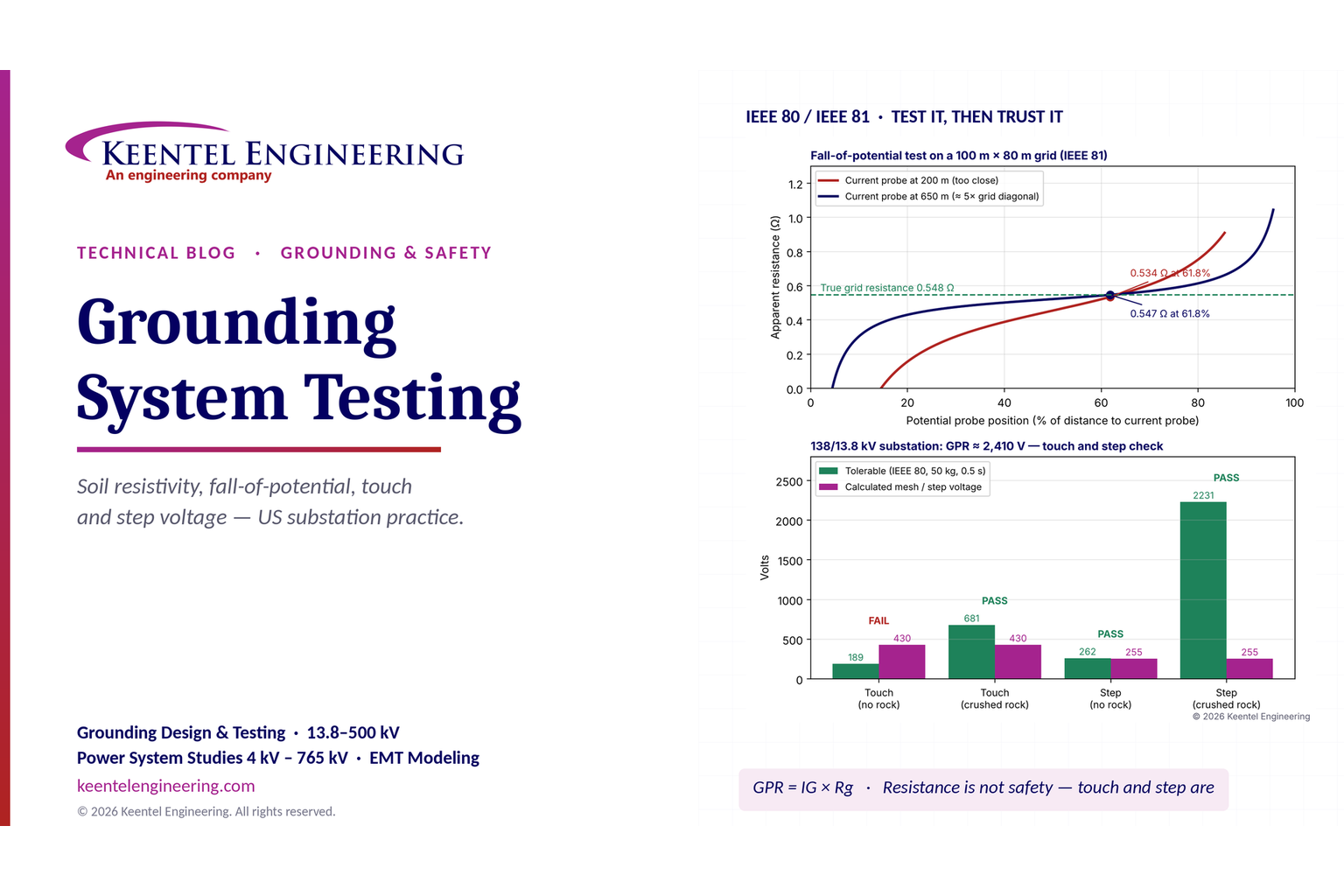
Explore grounding system testing with Keentel Engineering. Learn IEEE 80/81 methods, soil resistivity, ground resistance, and touch and step voltage safety.
By SANDIP R PATEL
•
October 13, 2026
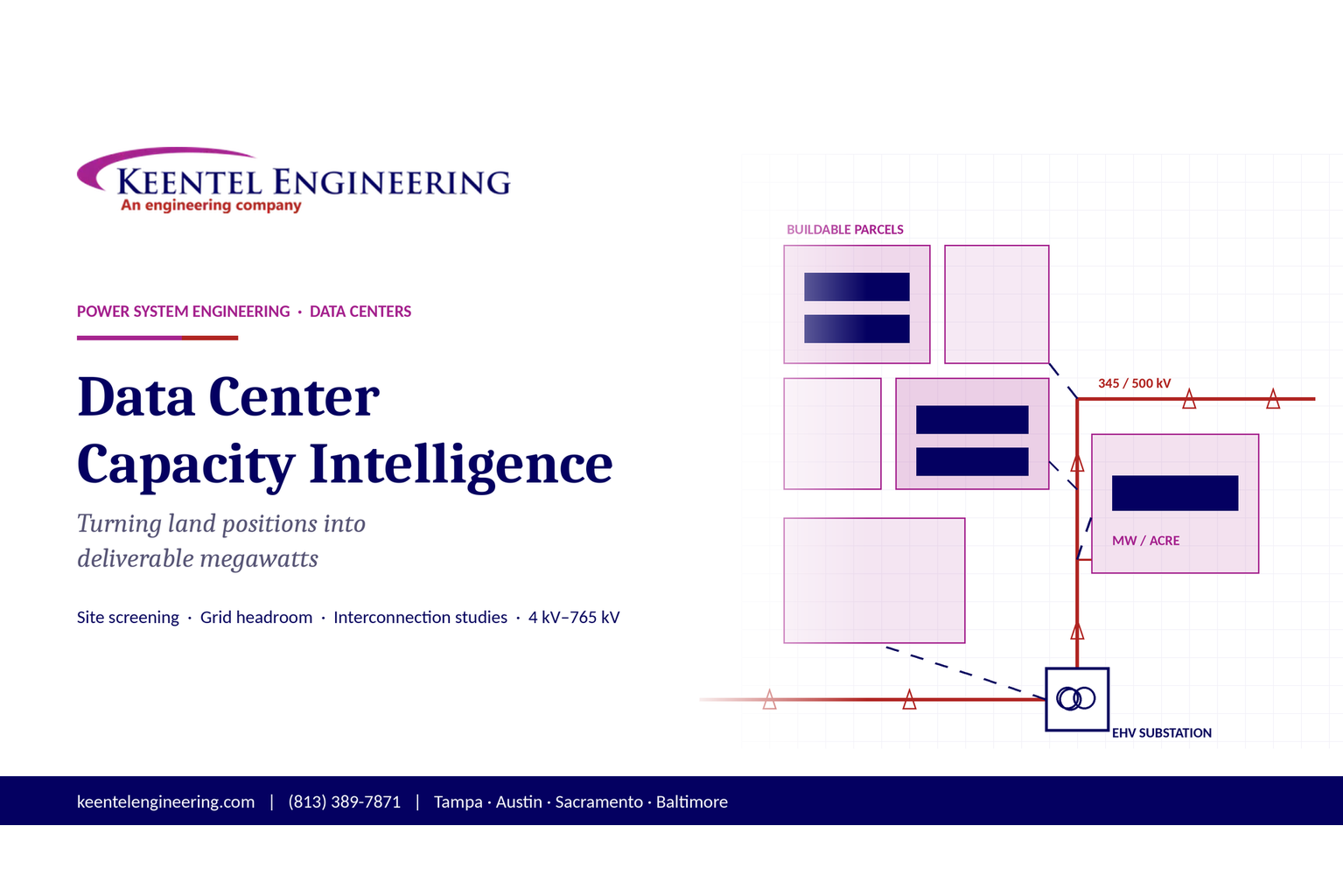
Plan data center capacity with land screening, MW-per-acre estimates, grid power availability and interconnection feasibility studies from Keentel Engineering.